← Calendar 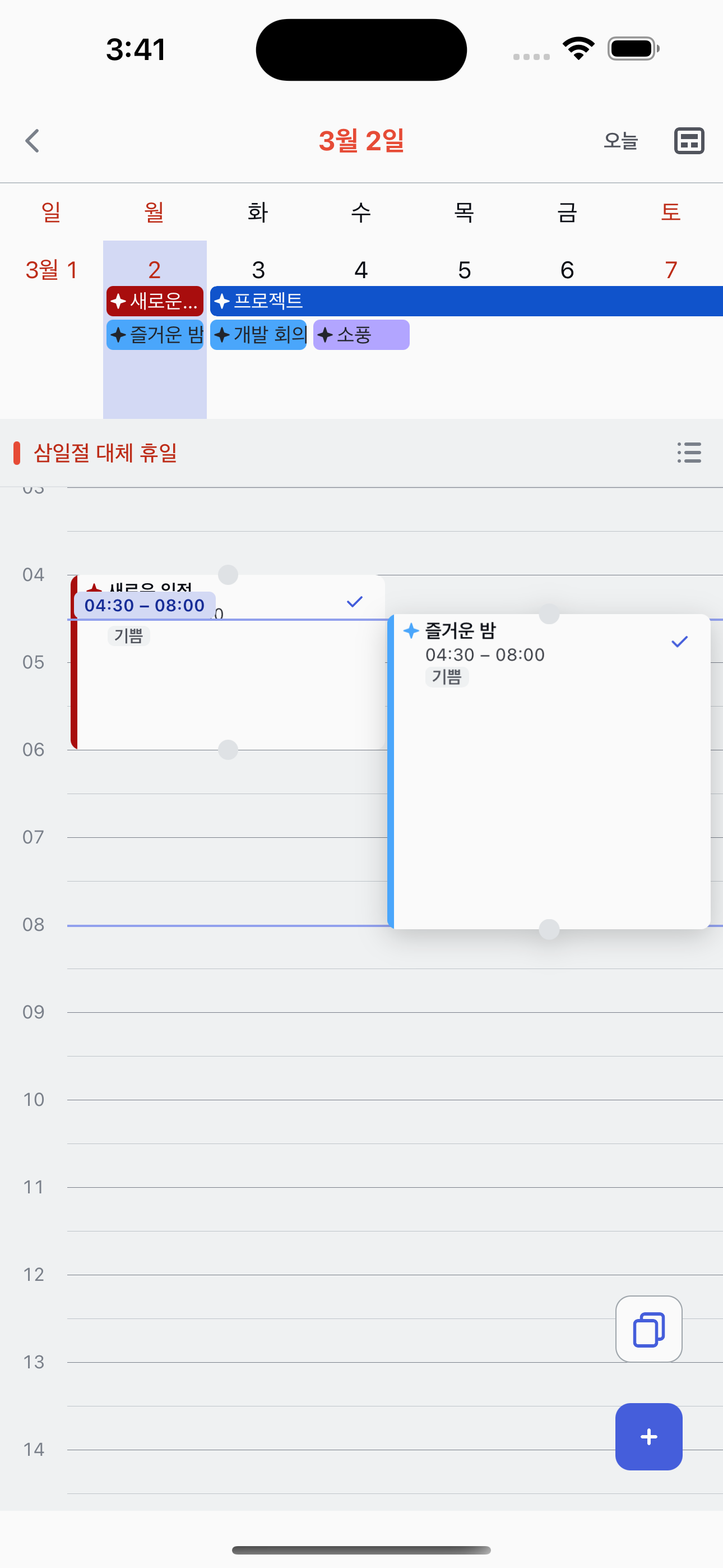
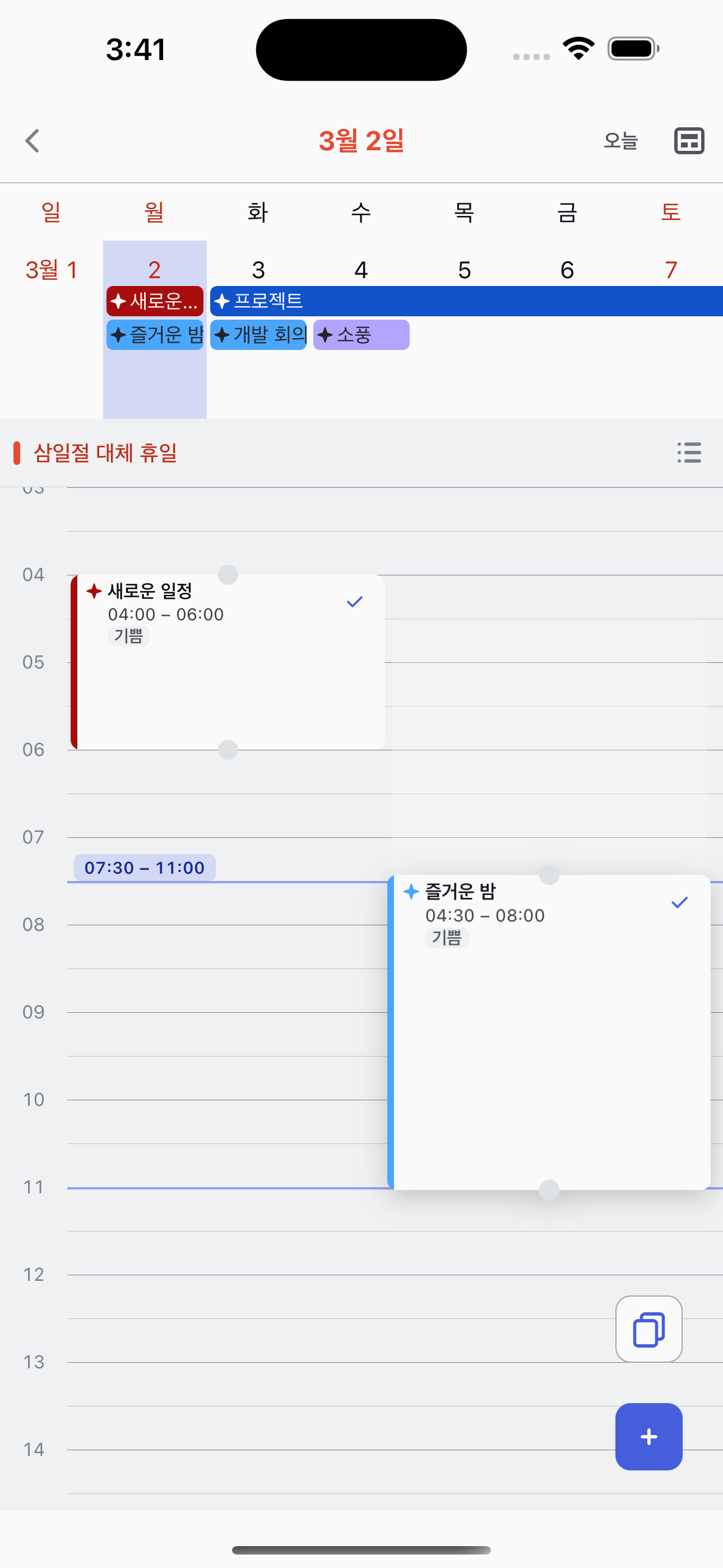
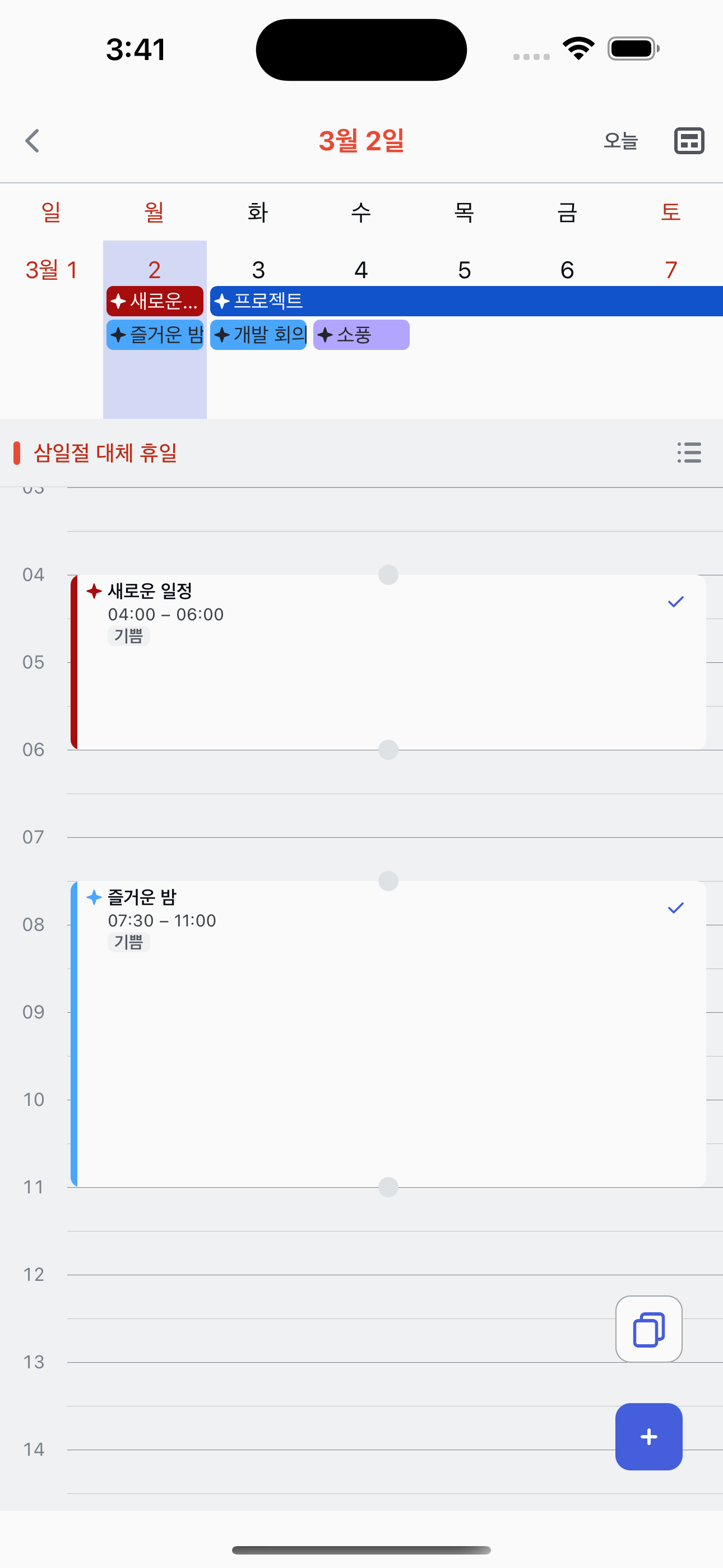
Drag & Drop in Timetable
Reschedule tasks by dragging time blocks in the timetable view.
1
Long-press a task block
In the timetable view, long-press a task block to pick it up. The block will lift and become draggable.
2
Drag to a new time
While holding, drag the block up or down to move it to a different time slot. The block snaps to 15-minute intervals for precise scheduling.
3
Drop to confirm
Release to drop the block at the new time. The task's start and end times are updated instantly.
Resize with edge handles
You can also long-press the top or bottom edge of a block to resize it, adjusting only the start or end time independently.