← Tasks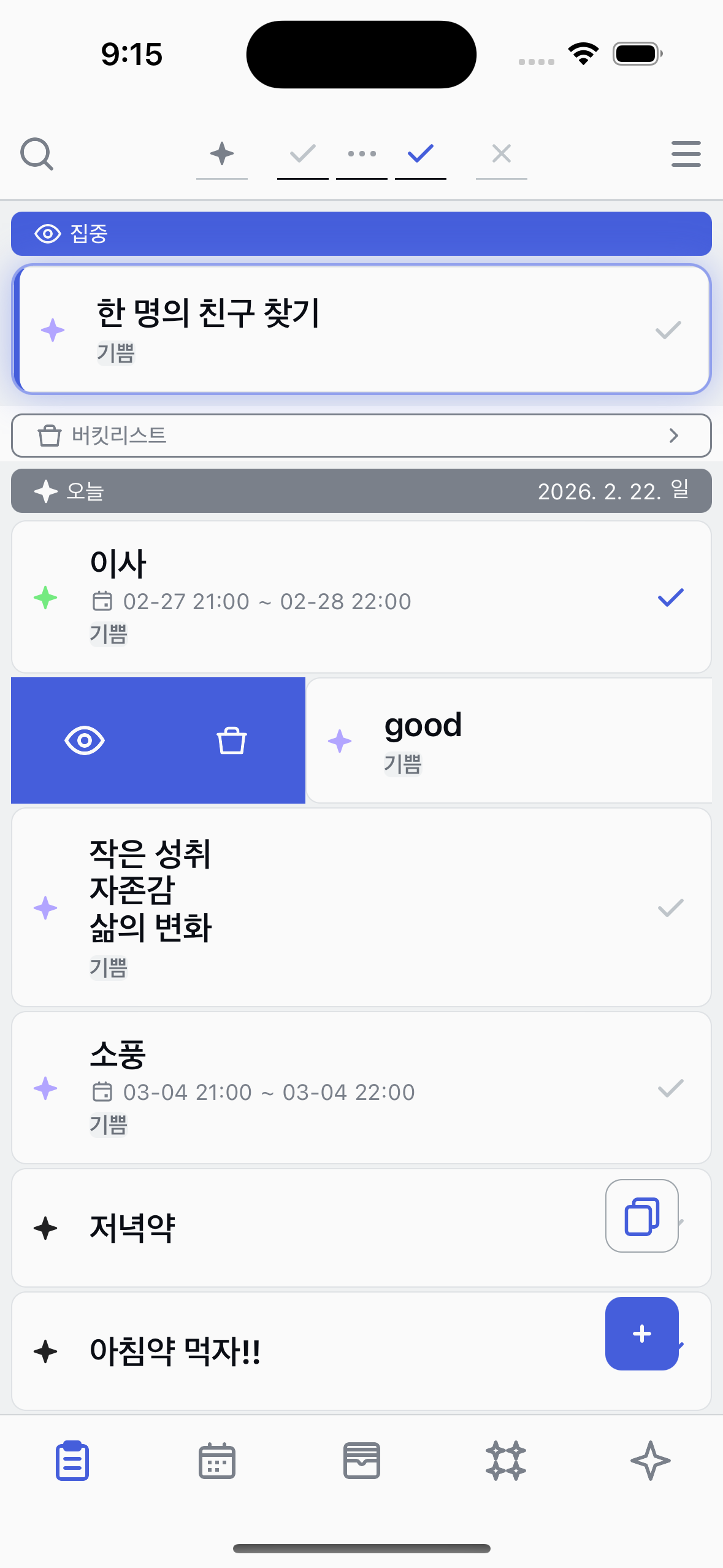

Bucketlist
Save tasks to your bucketlist and view them anytime.
Add to bucketlist
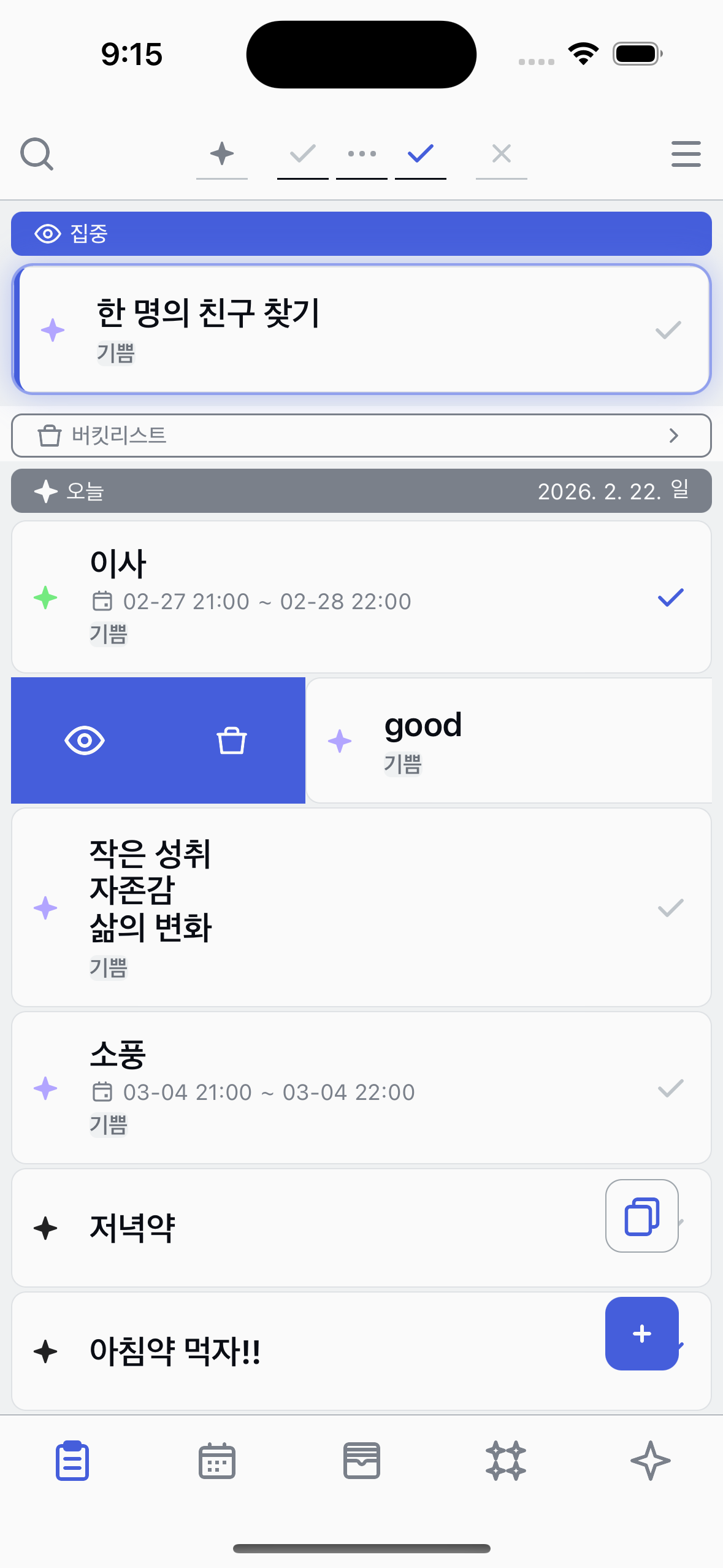
Swipe a task to the left and tap the Bucketlist button.
1
Find the Bucketlist button
Swipe a task to the left to reveal action buttons. You'll see the Bucketlist button among them.
2
Tap Bucketlist
Tap the Bucketlist button to add the task to your bucketlist.
Show Bucketlist
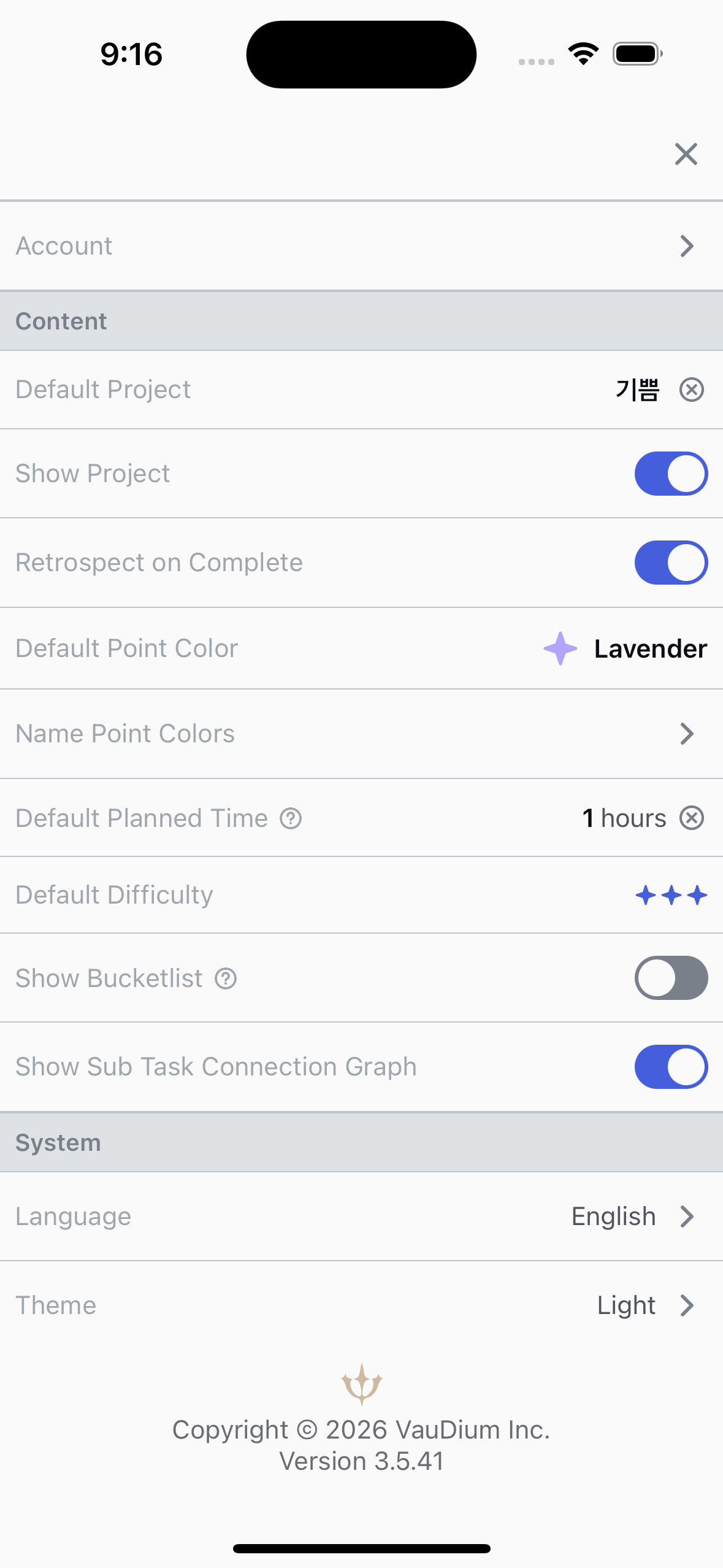
Enable the Bucketlist button at the top of your task list.
1
Enable Show Bucketlist
Go to the Me tab and enable Show Bucketlist. This adds a Bucketlist button to the top of your task list.
2
View your bucketlist
Tap the Bucketlist button at the top of the task list to see all your bucketed tasks.
About Bucketlist
●
Swipe a task left to add or remove it from the bucketlist.
●
Enable Show Bucketlist in the Me tab to see the bucketlist button.