← Tasks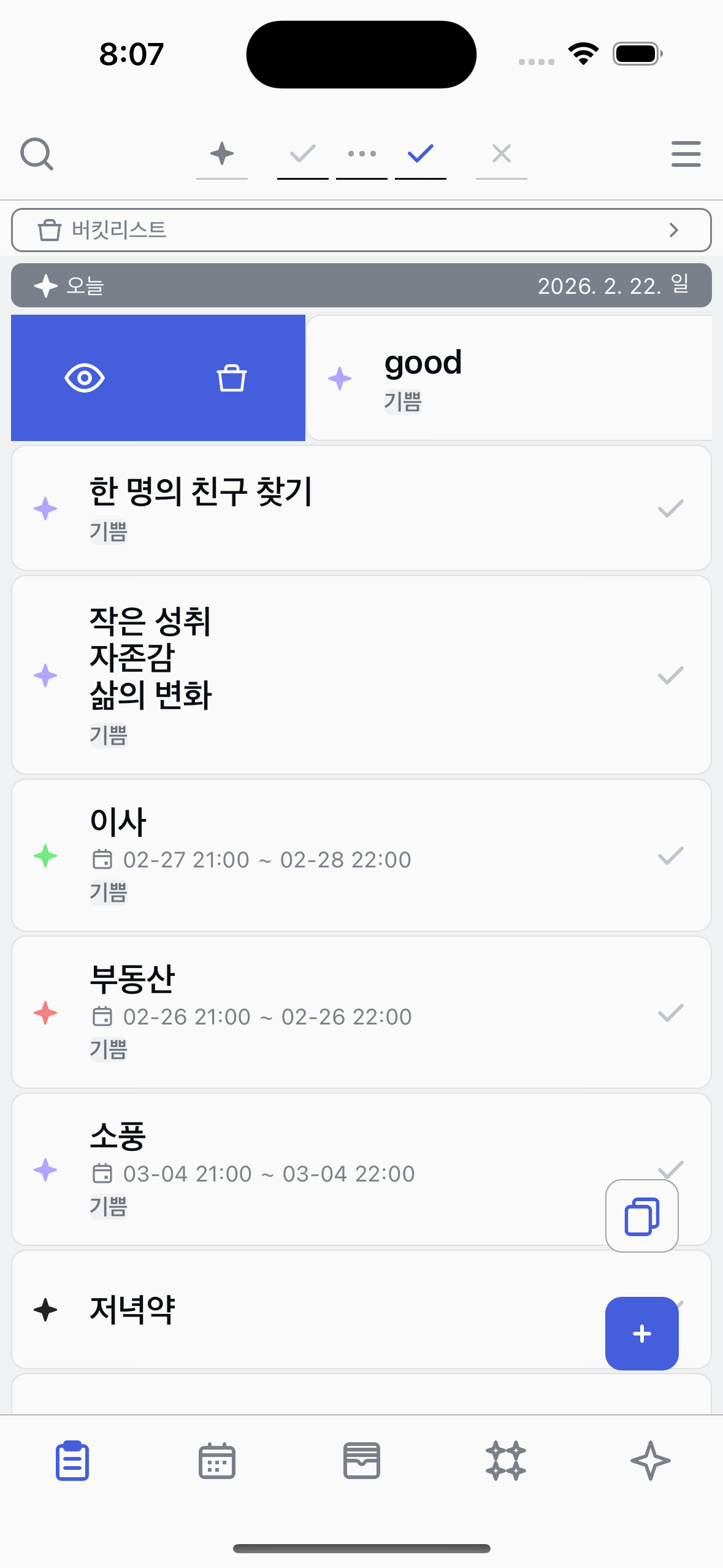
Focus
Pin one task to the top and stay focused.
1
Find the Focus button
Swipe a task to the left to reveal action buttons. You'll see the Focus button among them.
2
Tap Focus
Tap the Focus button to pin the task.
3
See the focused task
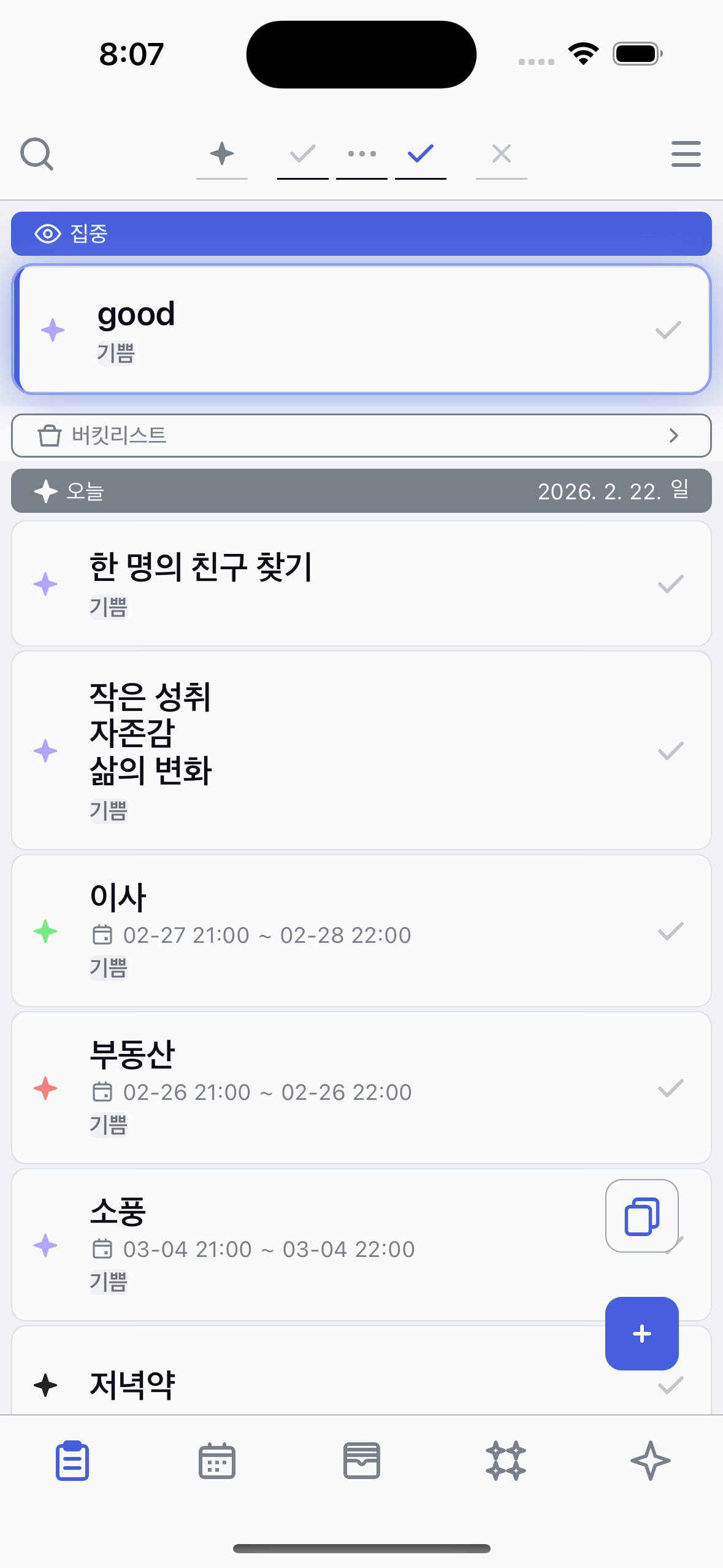
The focused task is pinned to the top of your list so you always know what to work on next.
4
Remove Focus
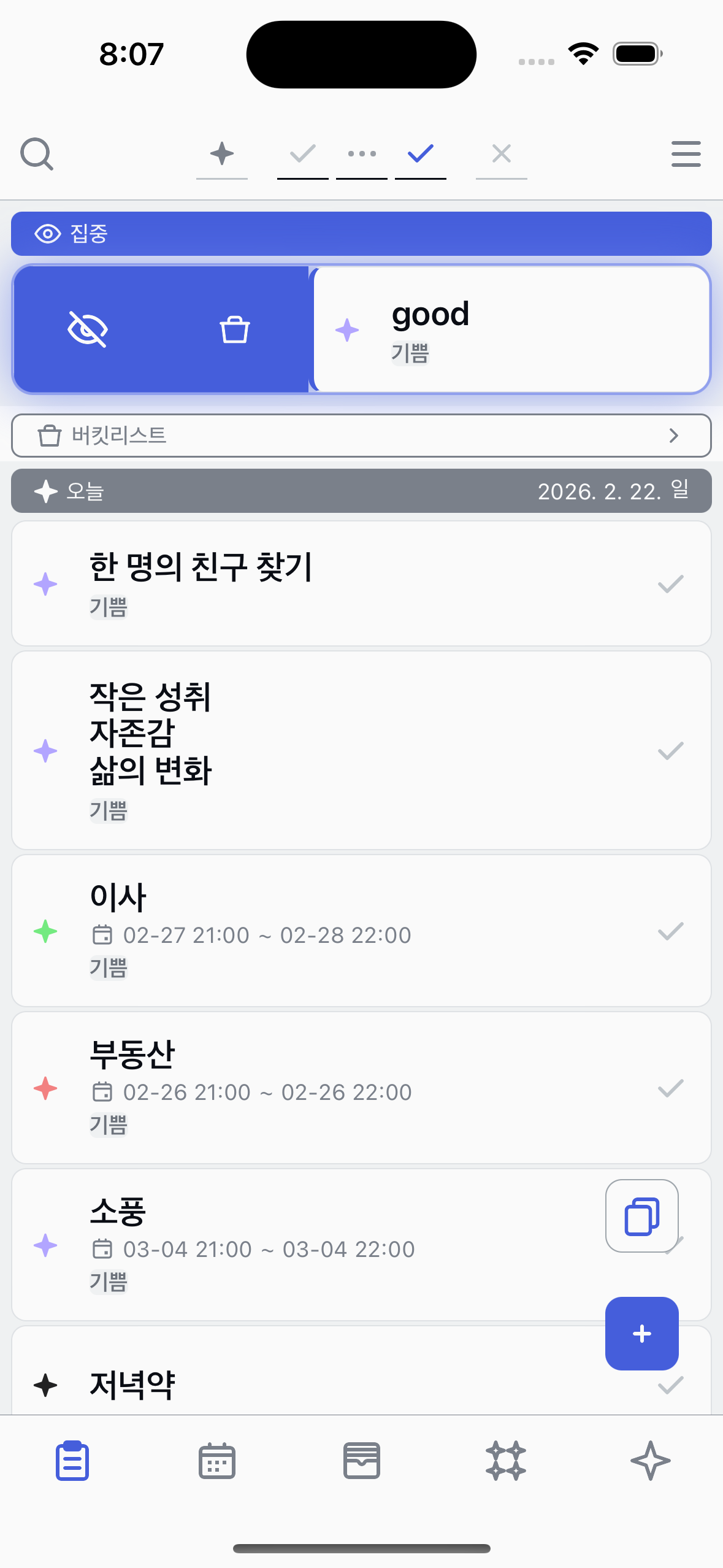
Swipe the focused task to the left again and tap Focus to unpin it. The task returns to its normal position.
About Focus
●
You can focus on one task at a time.
●
The focused task is always pinned to the top of your list.