← Tasks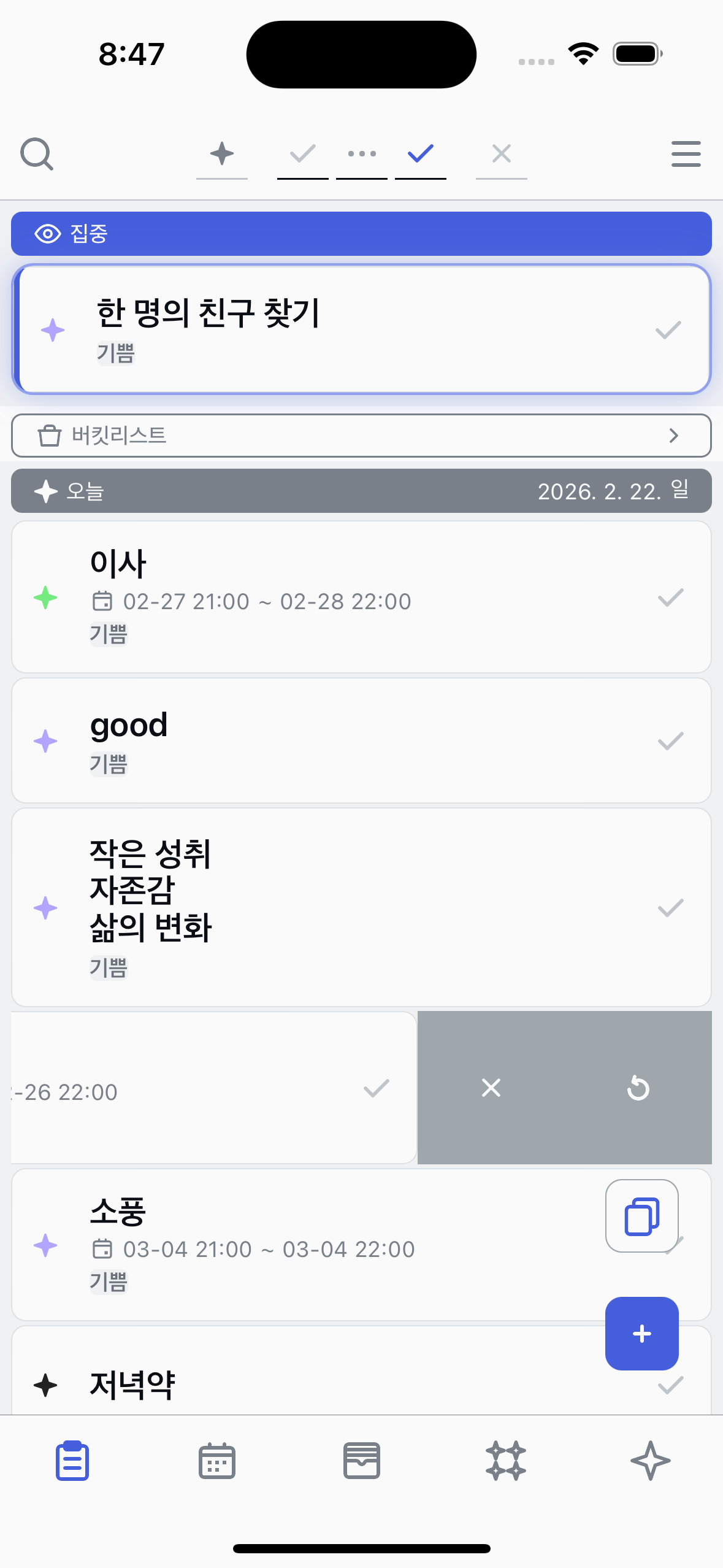
Cancel
Cancel a task you no longer need to do.
1
Find the Cancel button
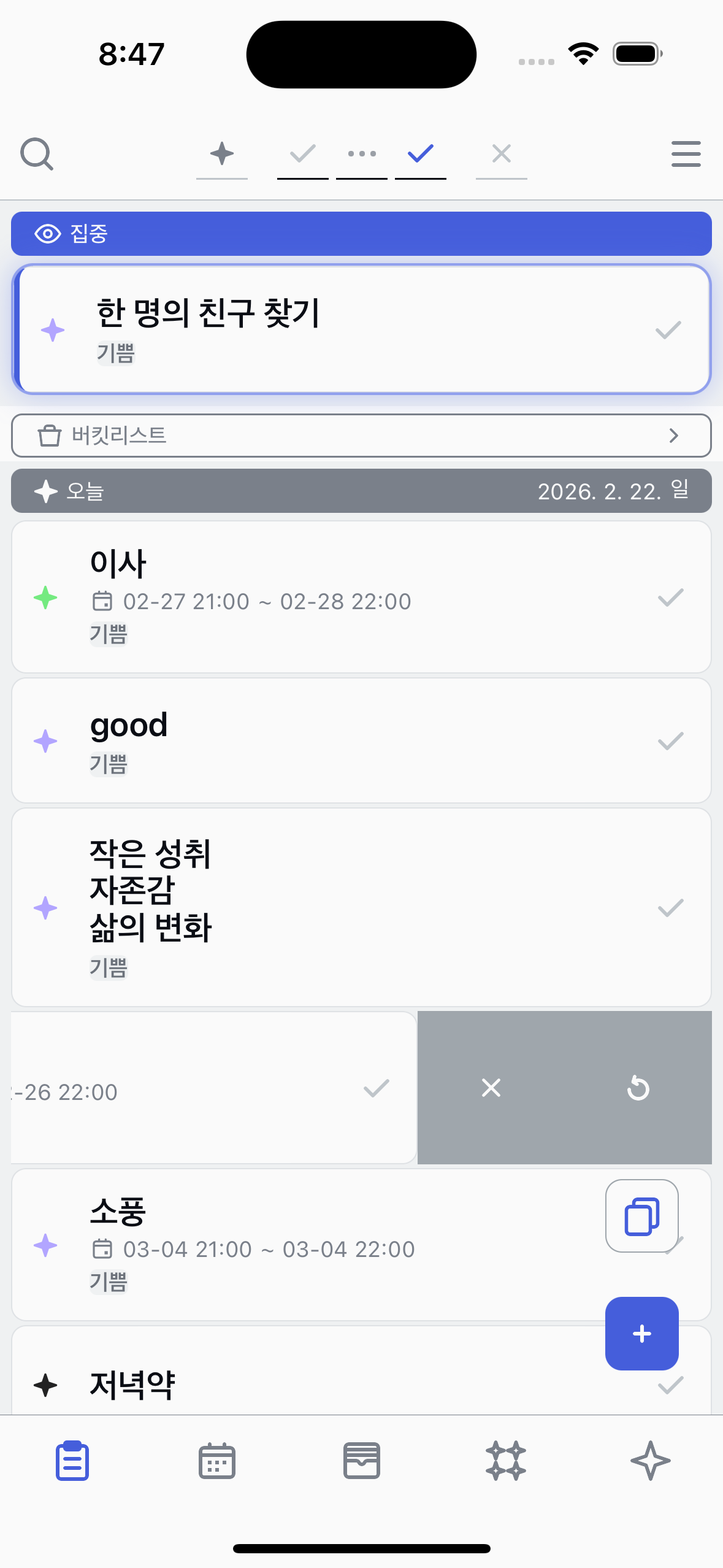
Swipe a task to the left to reveal action buttons. You'll see the Cancel button among them.
2
Tap Cancel
Tap the Cancel button to cancel the task.
3
View cancelled tasks
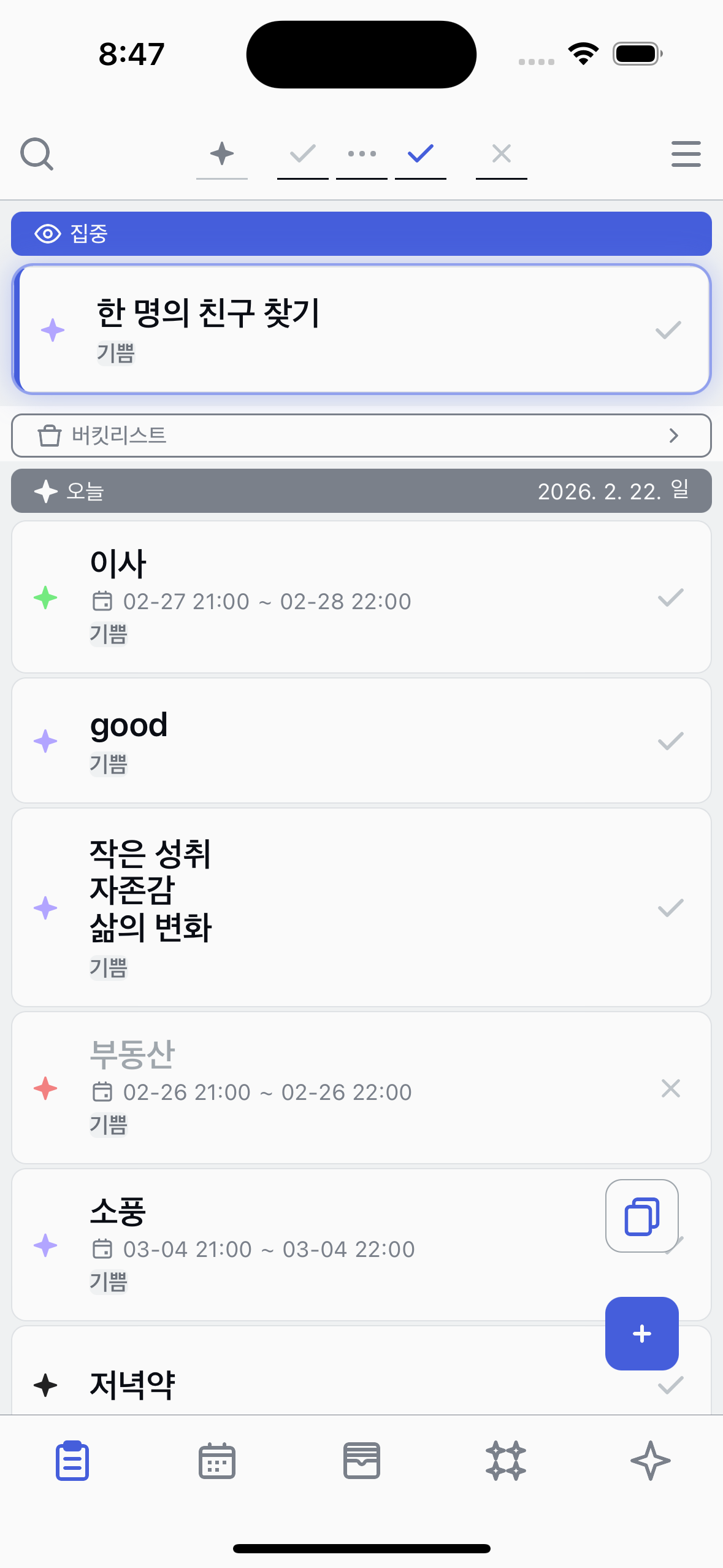
Cancelled tasks are hidden by default. Open the filter and enable the Cancelled state filter to see them in your list.
About Cancel
●
Cancelled tasks are hidden by default — enable the Cancelled filter to view them.
●
You can undo a cancellation by tapping the state button on the task.